
 Log in
Google Pay 2026: New Features and Updated Setup Process
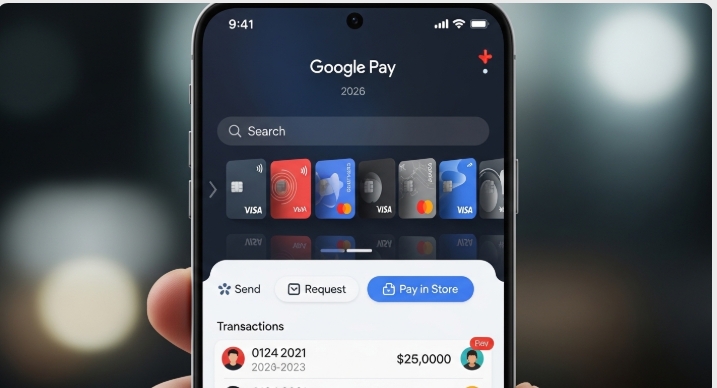
Google Pay changed everything in 2026 – here’s what’s new. If you’re returning to Google Pay after a break or you’ve been hearing about major updates, you’re probably feeling a bit lost navigating what used to be familiar territory. The payment platform you once knew has evolved significantly, with changes affecting everything from how you first set up your account to where you find basic functions like splitting bills or checking your transaction history.
At the same time, the broader payments landscape has expanded beyond a single app. Platforms like Bycard are also redefining how users access global payments, virtual cards, and cross-border transactions, often complementing tools like Google Pay rather than replacing them.
This comprehensive guide breaks down exactly what’s changed in Google Pay’s 2026 iteration, covering the new account setup process, the expanded feature set that now includes loans and cryptocurrency support, and the completely redesigned interface that’s causing confusion for returning users.
The New Account Creation Process and Updated Requirements
Enhanced Verification Steps
The most immediate change you’ll notice when setting up Google Pay in 2026 is the significantly more robust verification process. Google has implemented a multi-tier verification system designed to combat fraud and comply with evolving financial regulations across different markets.
Biometric Requirements: Unlike the optional fingerprint or face unlock of previous versions, 2026’s Google Pay mandates at least one biometric authentication method during initial setup. You’ll need to register either facial recognition, fingerprint, or voice authentication before you can link any payment methods. This isn’t just for unlocking the app – biometric confirmation is now required for transactions over $100 (or regional equivalent).
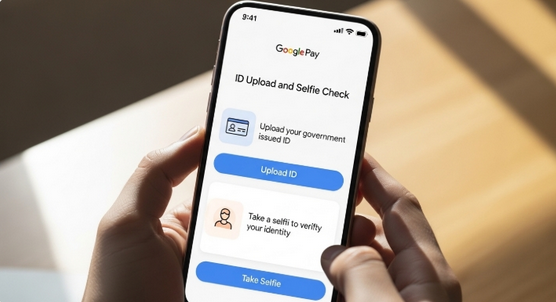
Document Verification: For users in regions with stricter financial regulations (including the EU, UK, Nigeria, and parts of Asia), Google Pay now requires government-issued ID verification. This involves uploading a photo of your driver’s license, passport, or national ID card, followed by a real-time selfie to confirm identity matching. The AI-powered verification typically completes within minutes, though manual review can take up to 24 hours in some cases.
Digital ID Integration
One of 2026’s biggest changes is seamless integration with emerging digital ID systems. If you’re in a country with a national digital identity program (such as India’s Aadhaar, the EU Digital Identity Wallet, or similar systems being rolled out across Africa and Southeast Asia), you can now link your digital ID directly to Google Pay.
This integration serves multiple purposes:
- Faster verification (often instant)
- Automatic address updates when you change residence
- Simplified age verification for age-restricted purchases
- Enhanced security through government-backed authentication
Step-by-Step 2026 Setup Process
1. Download and Initial Launch: After downloading Google Pay from your app store, you’ll be greeted by a new onboarding flow that asks about your primary use case (personal payments, business, or both).
2. Account Connection: Link your Google account as before, but now you’ll also select your primary country of residence, which determines available features and compliance requirements.
3. Biometric Registration: Choose and register at least one biometric method. The app will guide you through quality checks to ensure reliable authentication.
4. Identity Verification: Depending on your region, complete either basic profile information or full document verification.
5. Payment Method Linking: Add your bank account, debit card, or credit card. The 2026 version supports instant bank verification through open banking APIs in most countries, eliminating the old micro-deposit verification method.
6. Security Preferences: Set transaction limits, choose notification preferences, and enable additional security features like location-based restrictions.
The entire process now takes 10-15 minutes for most users, compared to the 5-minute setup of earlier versions, a trade-off for significantly enhanced security.
Latest Features Added – Loans, Bill Payments, and More
Instant Micro-Loans
Perhaps the most significant addition to Google Pay in 2026 is the integrated lending feature. Leveraging Google’s vast data on spending patterns and payment history, the platform now offers instant micro-loans ranging from $50 to $5,000 (amounts vary by region and creditworthiness).
How It Works:
- After 60 days of regular Google Pay usage, eligible users receive loan offers directly in the app
- Interest rates are competitive, typically ranging from 8-18% APR depending on your payment history and local market rates
- Approval is instant, with funds deposited directly to your linked bank account or Google Pay balance
- Repayment is automatic, deducted from your linked payment method in installments
- No impact on credit score for checking eligibility (only if you accept and default)
This feature positions Google Pay as a direct competitor to traditional banks and fintech lenders, particularly in markets where access to quick credit remains limited.
Expanded Bill Payment Options
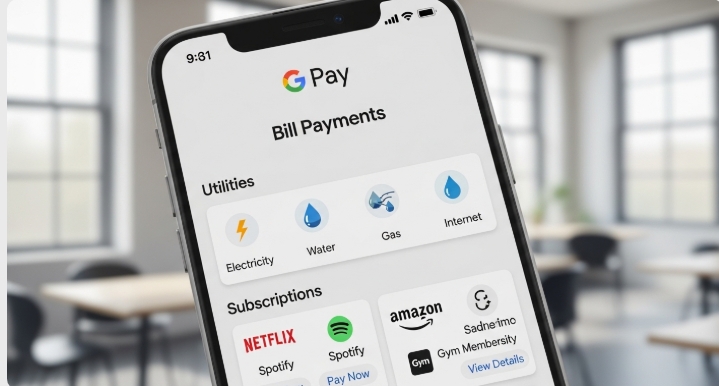
Bill payments have evolved from a basic utility to a comprehensive financial hub. The 2026 version includes:
Utilities and Services:
- Electricity, water, gas, and internet bills across 100+ countries
- Subscription management for streaming services, with the ability to pause or cancel directly through Google Pay
- Insurance premium payments with automatic reminders
- Property taxes and local government fees in supported jurisdictions
Smart Scheduling:
- AI-powered bill detection that identifies recurring charges and suggests automatic payment schedules
- Optimization algorithms that recommend the best payment dates based on your cash flow patterns
- Alerts for unusual bill amounts that might indicate errors or fraud
Cryptocurrency Integration
Google Pay 2026 has embraced cryptocurrency, though not in the way crypto purists might hope. The integration is primarily consumer-focused:
Supported Cryptocurrencies: Bitcoin, Ethereum, and select stablecoins (USDC, USDT) can now be held in a Google Pay wallet.
Functionality:
- Buy crypto directly through Google Pay using linked payment methods (fees apply)
- Sell crypto and receive funds instantly to your Google Pay balance or bank account
- Pay at participating merchants using crypto, with automatic conversion to local currency
- Send crypto to other Google Pay users or external wallet addresses
Limitations: You don’t actually control the private keys – Google maintains custody, which means this isn’t suitable for crypto enthusiasts who value decentralization. However, for casual users wanting simple crypto exposure, it’s remarkably accessible.
For users who want more flexibility, like spending crypto globally via cards or managing international payments, platforms like Bycard offer virtual cards that can bridge crypto and traditional payment systems more seamlessly
AI-Powered Spending Insights
The 2026 insights dashboard has received a major AI upgrade:
- Predictive Budgeting: The app learns your spending patterns and predicts upcoming expenses, alerting you if you’re likely to exceed your budget
- Category Optimization: AI suggests specific categories where you’re overspending compared to similar users
- Merchant Alternatives: When you make a purchase, Google Pay sometimes suggests cheaper alternatives nearby
- Savings Goals: Set goals (vacation, emergency fund, new device) and receive personalized saving strategies based on your spending patterns
Cross-Border Payment Improvements
International payments have become significantly easier and cheaper:
- Send money to users in 180+ countries with fees as low as 0.5%
- Mid-market exchange rates for most currency pairs (no hidden markups)
- Instant transfers within select corridors (US-Mexico, UK-EU, India-Gulf countries)
- Multi-currency balance support, allowing you to hold up to 5 different currencies in your Google Pay wallet
That said, if your focus is global online payments or subscriptions, dedicated solutions like Bycard often provide more flexibility through virtual cards accepted worldwide.
Gift Card Management
Google Pay now includes a dedicated gift card hub where you can:
- Store digital gift cards from 500+ retailers
- Automatically apply relevant gift cards at checkout when shopping online
- Check balances without visiting individual retailer websites
- Sell unused gift cards to other users through Google Pay’s marketplace (Google takes a 5% commission)
Interface Changes and Where to Find Key Functions Now
The Redesigned Home Screen
Returning users will find a completely reimagined home screen. The previous transaction-focused layout has been replaced by a card-based system that prioritizes contextual information.
New Layout:
- Top Section: Quick access buttons (Scan, Pay, Request, Add Money) remain, but they’re now collapsible to save space
- Center Section: Dynamic cards showing relevant information – upcoming bills, recent transactions, spending insights, or promotional offers, depending on time of day and context
- Bottom Navigation: Five tabs instead of the previous four:
- Home (overview)
- Payments (send, request, split)
- Finance (loans, insights, bills)
- Cards (gift cards, loyalty cards, offers)
- Profile (settings, support, referrals)
Where Key Functions Moved
Transaction History:
Previously on the home screen, now found under Profile > Activity. You can also filter by accessing any specific payment method and viewing its dedicated transaction list.
Splitting Bills:
Moved from the payment screen to a dedicated “Groups” feature under Payments > Split & Groups. This new feature allows you to create ongoing groups (roommates, trip companions) with persistent shared expense tracking.
Rewards and Offers:
Now consolidated under Cards > Offers. The 2026 version uses location awareness to surface relevant offers when you’re near participating merchants.
Bank Account Management:
Relocated to Profile > Payment Methods > Manage. From here you can add, remove, or set default payment sources.
Privacy and Security Settings:
Expanded and moved to Profile > Privacy & Security. This now includes granular controls for data sharing, transaction privacy, biometric settings, and location permissions.
New Gesture Controls
Google Pay 2026 introduces gesture navigation for common actions:
- Swipe right on home screen: Quick access to scan and pay
- Swipe left: Opens recent contacts for fast payment
- Long press on any transaction: Instant options to dispute, get receipt, or repeat transaction
- Shake phone (when enabled): Emergency lock that temporarily disables all payments for 1 hour
Customization Options
The new interface is highly customizable:
Home Screen Widgets: Choose which cards appear on your home screen, hide promotional content if you prefer a cleaner interface focused solely on your financial data.
Theme Options: Beyond basic light/dark mode, Google Pay now offers color themes that match your spending personality or simply your aesthetic preferences.
Notification Granularity: Control notifications at an incredibly detailed level, choose different alert types for different transaction amounts, specific merchants, or payment methods.
Settings Reorganization
The settings menu has been completely restructured for 2026:
Previous Structure: Single long list of options
New Structure:
- Account & Profile (name, photo, linked accounts)
- Payment Methods (banks, cards, crypto wallets)
- Privacy & Security (biometrics, notifications, data sharing)
- Finance Tools (budget settings, loan management, bill reminders)
- Preferences (language, currency, theme, accessibility)
- Help & Support (chat with support, troubleshoot, report fraud)
This categorization makes finding specific settings much easier, though longtime users will need a few days to adjust to the new locations.
Adapting to the New Google Pay
Google Pay’s new evolution represents a shift from a simple payment app to a comprehensive financial platform. The enhanced verification requirements, while initially more time-consuming, provide significantly better security. The new features, particularly micro-loans, crypto integration, and AI-powered insights – position Google Pay as a serious alternative to traditional banking for everyday financial needs.
For returning users, the learning curve is real but manageable. Spend 15-20 minutes exploring the new interface, particularly the Finance tab and the reorganized settings menu. Enable the gesture controls you’ll actually use, and customize your home screen to display the cards most relevant to your financial habits.
The 2026 version isn’t just an update – it’s a reimagining of what a payment app can be. Whether these changes represent improvements or unnecessary complexity depends largely on your use case. For users who simply want to tap and pay, the added features might feel like bloat. For those seeking a unified financial hub, Google Pay 2026 delivers impressive functionality that reduces the need for multiple financial apps.
As digital payments continue to evolve, Google Pay’s 2026 iteration signals where the industry is heading: toward platforms that don’t just facilitate payments but actively manage, optimize, and expand your financial capabilities. The question isn’t whether these features are impressive (they are), but whether you want this level of integration from a single platform controlled by one of the world’s largest tech companies.
For most users, the convenience will likely outweigh privacy concerns, but it’s a personal calculation each user must make based on their own comfort level with data sharing and platform consolidation.

Perfect Card for running ads!
Conclusion
Google Pay 2026 marks a clear shift from a simple payment tool to a fully integrated financial platform. With stronger security, AI-driven insights, lending features, and crypto support, it’s designed to manage more of your financial life in one place. While this added functionality brings convenience, it also introduces complexity, especially for users who just want fast, straightforward payments.
That’s where a complementary approach becomes useful. While Google Pay handles everyday transactions and ecosystem convenience, platforms like Bycard offer added flexibility for global payments, virtual cards, and seamless online spending across borders.
In the end, the best experience doesn’t come from relying on a single app, it comes from combining tools that fit your needs. As digital payments continue to evolve, users who adapt and leverage multiple solutions will have the most control, flexibility, and efficiency in managing their money.

CATEGORIES
轻松完成账单支付的 Google Ads 支付方式指南现已上线
Wise vs Revolut? Comparing the Best Multi-Currency Card 2026
Wise Alternatives That Make Payment Faster and Currency Conversion Simple
Wire Transfer vs Bank Transfer – Swift Business Payments Now
Why Virtual Cards Matter in Digital Payments Now

Why Travel Rewards Credit Cards are Highly Important
