
 Log in
Why Google Ads Keeps Asking for Manual Payment Verification and How to Fix It

If Google Ads keeps triggering manual payment verification on your account, stalling your campaigns and eating into your ad delivery, you’re not alone. This guide breaks down the three root causes behind this billing loop and walks you through a proven fix: a multi-card redundancy strategy using Bycard virtual cards.
- Why Google Ads Keeps Asking for Manual Payment Verification and How to Fix It
Reason #1: Your Account Is Set to Manual Payments
Google Ads offers two billing modes: Automatic Payments and Manual Payments. With manual payments, you top up your account balance before ads run, Google won’t charge your card on file automatically.
Some accounts get assigned to manual payments by default, especially newer accounts or those registered in certain regions. The problem? Accounts in manual payment mode are significantly more likely to trigger Google’s identity or payment verification prompts, because the system has to explicitly process each payment event rather than handling it quietly in the background.
ACTION REQUIRED
Go to Google Ads → Tools & Settings → Billing → Payment Settings and check your current payment type. If it reads “Manual Payments,” switching to automatic payments should immediately reduce verification prompts.
How to Check and Change Your Payment Mode
- Sign into your Google Ads account
- Click the wrench icon (Tools & Settings) in the top-right corner
- Navigate to Billing → Payment Settings
- Review the “How you pay” field, confirm whether it shows automatic or manual payments
- If you need to switch, follow the on-screen prompts (some accounts may need to contact Google Ads support directly)
Reason #2: Your Region or Currency Isn’t Eligible for Automatic Billing
Not every country-and-currency combination is supported for Google Ads automatic payments. When your account’s billing location or currency falls outside Google’s eligible list, the system defaults to requiring manual payment confirmation, and that means recurring verification requests, even if your account is in perfect health otherwise.
This is a platform-level restriction, not an account-level problem. If this applies to you, using a USD-denominated virtual card from Bycard can help you work within Google’s automatic billing framework, since USD is supported across virtually all Google Ads billing regions.
USE GOOGLE’S OWN TOOL TO CHECK
Google provides an official Payments Info Finder tool where you can enter your billing country and currency to see whether automatic payments are available. Always run this check before assuming the issue is account-specific.

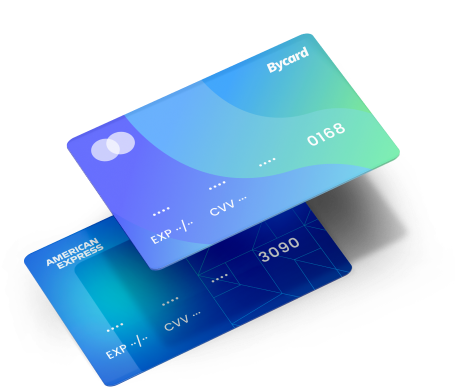
Perfect Card for running ads!
Common Scenarios Where Automatic Payments Aren’t Supported
- Account registered in a developing market, not yet on Google’s auto-billing list
- Billing currency is a non-major currency (common in parts of Southeast Asia, the Middle East, and Africa)
- Mismatch between the account country and the currency’s home region
Reason #3: A Past Payment Failure Flagged Your Account as Delinquent

This is the most overlooked cause, and the one with the longest tail of consequences.
Google Ads operates on a spend-first, charge-later model. Your ads run, and Google charges your card on file when you hit a billing threshold or at the end of your billing cycle. If that charge fails for any reason, Google flags your account as delinquent.
CRITICAL WARNING
Once your account is marked delinquent, every future payment is more likely to trigger manual verification, creating a cycle that’s hard to break without directly addressing the root cause. In serious cases, Google may pause your campaigns entirely until the balance is cleared.
Common Reasons a Google Ads Payment Fails
- Insufficient funds or available credit on the card at billing time
- Your bank’s fraud detection flags Google’s charge as suspicious (especially common with international accounts)
- Credit card at or near its spending limit
- Card expired and not updated in billing settings
- Single transaction exceeds your card’s per-transaction limit
For advertisers running accounts billed in USD from non-US banks, cross-border payment declines are especially frequent. This is a core reason why many performance marketing teams have moved to Bycard virtual cards for Google Ads billing, a USD-native virtual card eliminates most cross-border friction at the source.
Best Practice: Multi-Card Strategy with Bycard
The most effective solution for preventing delinquent account flags is straightforward: add multiple payment methods to a single Google Ads account. If Google can’t charge your primary card, it automatically tries the next one, and your account never enters the delinquent bucket.
Recommended Cards
Card Type
Best Practice
Why Bycard Is the Right Tool for This
Bycard is a virtual card platform built for digital advertising use cases, and it’s particularly well-suited for Google Ads multi-card setups. Unlike traditional bank cards, Bycard virtual cards give ad teams several advantages that matter specifically in this context:
Apply online and get a card number immediately, no waiting for physical delivery
USD-denominated by default, eliminating cross-border payment declines
Issue multiple independent virtual cards under one account for flexible backup coverage
Supports Google Ads automatic billing with high acceptance rates
Build Payment Redundancy for Your Google Ads Account with Bycard
Issue 2–3 bycard.com virtual cards and add them to your Google Ads account as primary and backup payment methods. If your primary card fails, Google automatically charges the next card, your account stays in good standing, and the manual verification loop never starts.
Step-by-Step: Adding Multiple Cards to Google Ads
- Issue Your Virtual Cards at Bycard
Visit Bycard, create an account, and issue 2–3 independent virtual cards. Save the card number, expiration date, and CVV for each. - Open Google Ads Billing Settings
In Google Ads: Tools & Settings → Billing → Payment Methods - Add Each Virtual Card
Click Add payment method and enter each Bycard virtual card in turn. Complete any verification steps Google requires. - Set Primary and Backup Priority
Designate your most funded card as the primary. Google will automatically fall back to backup cards in order if the primary charge fails. - Monitor Card Status Monthly
Check your Bycard account balance and card expiration dates monthly to ensure all backup cards remain active and funded.
PRO TIP
Enable Google Ads billing email notifications so you’re alerted the moment a payment issue arises. Combined with the Bycard multi-card setup, you’ll have both an automatic fallback and a real-time alert system, the strongest possible defense against account flags.
Conclusion
Google Ads manual payment verification is almost always triggered by one of three things, a manual payment setting, a region/currency eligibility gap, or a past payment failure that left a delinquency mark on your account.
The fix is equally predictable: switch to automatic payments, verify your billing region is eligible, and add multiple payment methods using Bycard virtual cards to build in redundancy. At scale, a stable payment chain is just as important to campaign performance as your bid strategy or creative.
Head over to Bycard to issue your first virtual card and start building the payment backup your Google Ads account needs.

CATEGORIES
轻松完成账单支付的 Google Ads 支付方式指南现已上线
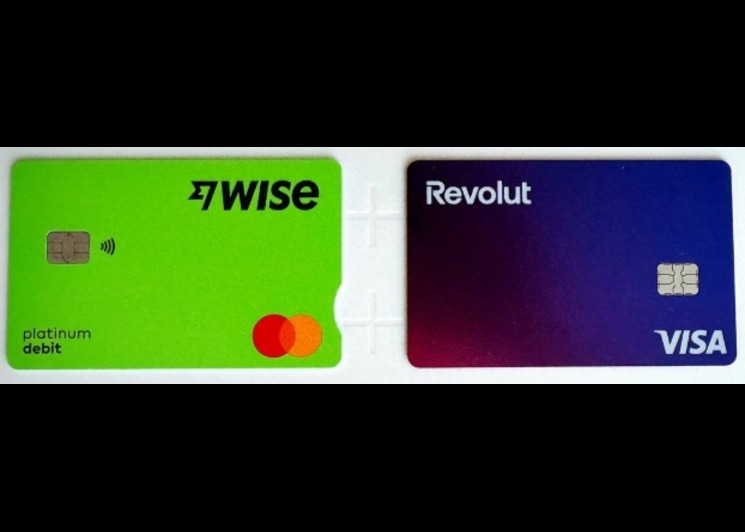
Wise vs Revolut? Comparing the Best Multi-Currency Card 2026
Wise Alternatives That Make Payment Faster and Currency Conversion Simple
Wire Transfer vs Bank Transfer – Swift Business Payments Now

Why Virtual Cards Matter in Digital Payments Now

Why Travel Rewards Credit Cards are Highly Important
