
 Log in
Steam Payment Methods: Complete Guide To Safe And Easy Purchases in 2026
Steam remains one of the largest gaming marketplaces globally, and understanding Steam payment methods helps gamers complete purchases faster, reduce payment failures, and choose safer options for gaming transactions. Whether you want to use cards, digital wallets, regional payment systems, or virtual payment solutions, selecting the right payment method improves purchase success rates and account security.
NOTE
In this guide, you will learn how Steam payment methods work, how to fix payment issues, how to change payment options, and how virtual cards can simplify online gaming purchases.
In this article
- Steam Payment Methods: Complete Guide To Safe And Easy Purchases in 2026
- Steam Payment Methods: What Payment Options Does Steam Support?
- Why Is My Steam Payment Not Working? Causes and Solutions
- How do I change Payment Method On Steam? Steam Change Payment Method – Step-by-Step Guide
- Virtual Card For Steam: Safer Gaming Transactions
- Online Card For Steam Purchases: Fast and Flexible Payment Solutions
- Where Bycard Adds Value
- Steam Payment Methods by Region
- Security Tips for Steam Payment Methods
Steam Payment Methods: What Payment Options Does Steam Support?
Steam payment methods typically include debit cards, credit cards, PayPal, Steam Wallet funds, prepaid cards, regional banking options, and digital payment systems depending on country availability.
Steam payment methods vary depending on region, local regulations, and supported financial providers. However, users generally have access to multiple payment options that make purchasing games, DLCs, subscriptions, and wallet credits easier.
Steam commonly supports:
- Credit cards
- Debit cards
- PayPal
- Steam Wallet funds
- Gift cards
- Prepaid cards
- Regional payment services
- Prepaid cards
- Regional payment services
- Digital wallets
- Mobile payments in select regions
- Online banking solutions
Most Common Steam Payment Methods Available Worldwide
Steam supports payment systems differently depending on location. Therefore, players should verify availability before checkout.
Global Payment Types
- Visa
- Mastercard
- Debit cards
- PayPal
- Wallet funding systems
- Regional processors
Regional Payment Methods
- Mobile wallets
- Local banking transfers
- Country-specific payment gateways
- Gift card solutions
Which Steam Payment Method Is Best?
The best Steam payment methods depend on:
- Security requirements
- Transaction speed
- Refund convenience
- Country support
- Privacy needs
Why Is My Steam Payment Not Working? Causes and Solutions
Steam payment failures often happen because of card verification issues, regional restrictions, bank blocks, insufficient funds, or temporary payment processor outages. Experiencing steam payment not working issues is one of the most common frustrations among gamers. Payment failures can occur due to security triggers, incorrect card information, regional restrictions, or temporary processing issues.
Why Steam Payments Fail
Common reasons include:
- Incorrect card information
- Regional payment restrictions
- Bank blocks
- Insufficient balance
- Currency mismatch
- Security verification failures
- Payment processor downtime
How to Fix steam payment not working Issues
Verify Payment Information
Ensure:
- Card number is correct
- Billing address matches
- Security code is accurate
Check Regional Restrictions
Some payment methods work only in supported countries.
Clear Steam Cache
Temporary account issues occasionally block transactions.
Contact Payment Provider
Banks sometimes flag gaming purchases.
Reduce Failed Steam Transactions
- Use secure payment methods
- Enable transaction notifications
- Maintain wallet balance
- Use backup payment options
How do I change Payment Method On Steam? Steam Change Payment Method – Step-by-Step Guide
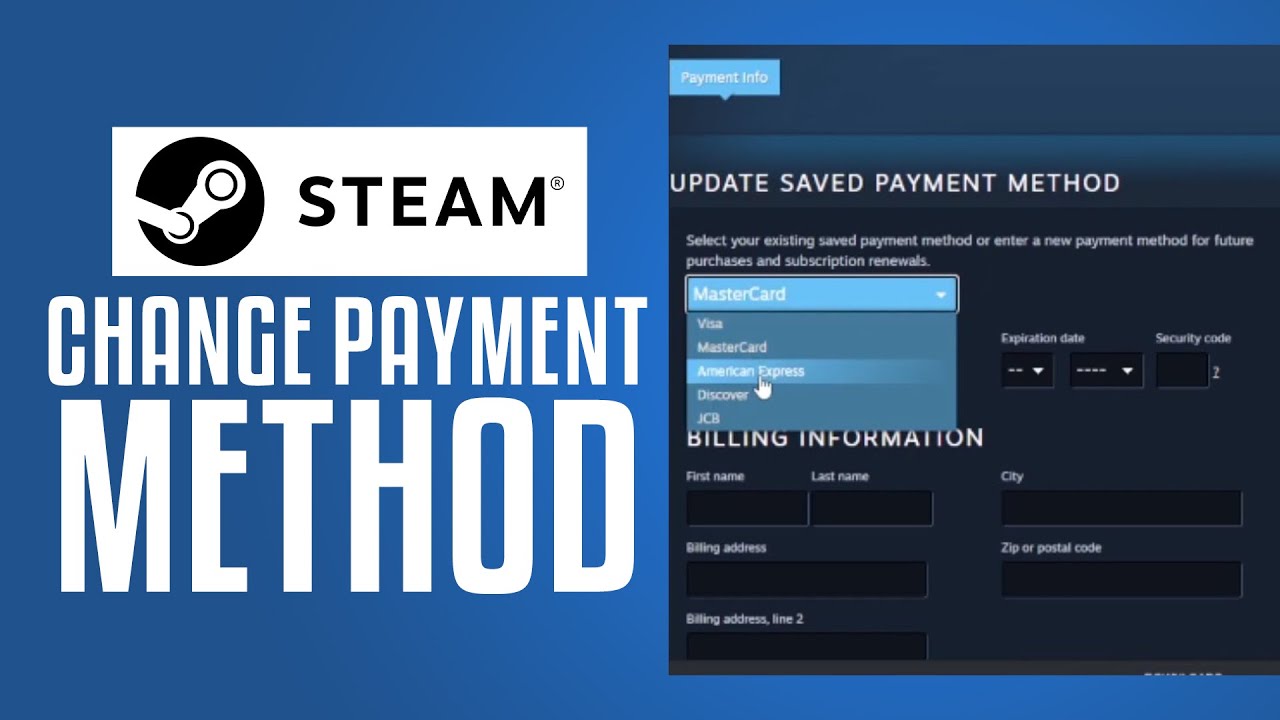
Open Steam account settings, navigate to payment information, select edit payment method, update details, and save changes.Many users search for steam change payment method instructions when updating cards or switching to alternative payment systems.
How to steam change payment method on Desktop
- Open Steam
- Go to Account Details
- Select Payment Methods
- Edit existing payment information
- Save changes
Changing Payment Methods During Checkout
Steam also allows users to select alternative payment options before purchase completion.
Why Change Steam Payment Methods?
Reasons include:
- Expired cards
- Better security
- Faster payments
- Regional support
- Alternative payment preferences
Best Practices When Updating Payment Methods
- Remove outdated cards
- Enable verification
- Use secure providers
- Monitor transactions

Perfect Card for running ads!
Virtual Card For Steam: Safer Gaming Transactions
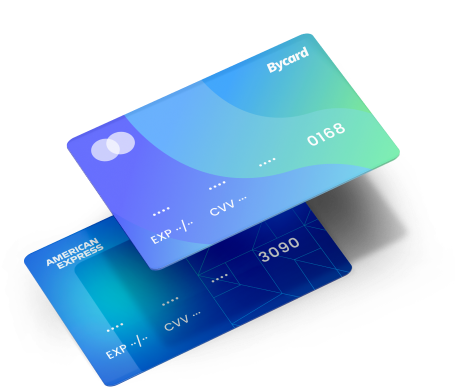
Using a virtual card for Steam purchases offers an extra layer of privacy and spending control.
Why Gamers Use Virtual Cards
Benefits include:
- Improved security
- Reduced fraud exposure
- Spending limits
- Temporary card generation
- Better online privacy
When a virtual card for Steam Makes Sense
Virtual cards work well when:
- Buying from unfamiliar networks
- Managing budgets
- Protecting primary cards
- Avoiding repeated card exposure
Security Benefits
Virtual cards minimize risk because card credentials are separated from primary accounts.
Virtual Cards vs Traditional Cards
Feature | Virtual Card | Traditional Card |
| Security | Higher | Standard |
| Spending Control | Better | Moderate |
| Exposure Risk | Lower | Higher |
| Replacement Speed | Faster | Slower |
Online Card For Steam Purchases: Fast and Flexible Payment Solutions
Virtual cards minimize risk because card credentials are separated from primary accounts.
Types of Online Cards for Steam Purchases
- Virtual prepaid cards
- Digital debit cards
- Wallet-linked cards
- Temporary online cards
Advantages of Online Cards
- Instant availability
- Better fraud protection
- Easy budgeting
- Lower exposure risk
What Makes an Online Card Ideal?
Important Features
- International acceptance
- Instant activation
- Low fees
- Security controls
Why Bycard Fits Modern Steam Payment Methods
Bycard can naturally fit into gaming payment ecosystems because players increasingly want secure digital payment tools for online purchases.
Where Bycard Adds Value
- Better payment flexibility
- Improved digital security
- Convenient online transactions
- Support for gaming-related purchases.
How Bycard Supports Gamers
Bycard can position itself as a solution for users seeking:
- Secure payment alternatives
- Better spending management
- Flexible online payment experiences
- Cross-platform digital purchases
Steam Payment Methods by Region
Regional payment support impacts purchase success.
North America
- Cards
- PayPal
- Wallets
Europe
- Bank transfers
- Wallet systems
- Local processors
Asia and Emerging Markets
- Mobile payments
- Regional payment gateways
- Online banking systems
Security Tips for Steam Payment Methods
Protect Your Account
- Enable two-factor authentication
- Use strong passwords
- Avoid shared devices
PRO TIP
Create a separate payment profile or dedicated card specifically for Steam purchases. This limits exposure if one payment source is compromised and also helps payment systems recognise consistent gaming-related spending patterns, which can reduce fraud-triggered transaction declines.
Protect Payment Information
- Avoid public WiFi
- Monitor purchases
- Use payment alerts
Conclusion
Understanding Steam payment methods helps gamers choose safer, faster, and more reliable ways to complete purchases while reducing payment failures. From traditional cards to virtual payment solutions, selecting the right option can improve security, flexibility, and convenience. Additionally, using secure alternatives such as digital payment tools and virtual cards can provide greater control over online spending. As payment technologies continue to evolve, staying informed about supported methods and troubleshooting steps ensures smoother gaming transactions and a better purchasing experience overall.

CATEGORIES

轻松完成账单支付的 Google Ads 支付方式指南现已上线
Wise vs Revolut? Comparing the Best Multi-Currency Card 2026

Wise Alternatives That Make Payment Faster and Currency Conversion Simple

Wire Transfer vs Bank Transfer – Swift Business Payments Now

Why Virtual Cards Matter in Digital Payments Now

Why Travel Rewards Credit Cards are Highly Important
