
 Log in
How to use a Virtual Card- A Comprehensive Guide
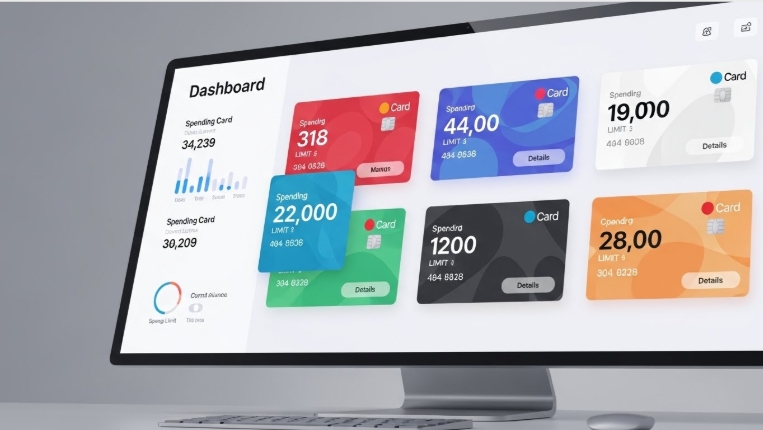
How to use a virtual card matters more than ever as people rely on digital payments, subscription platforms, and online services every day. When you create a virtual card, it receives its own number, expiry date, and CVV, just like a regular card, but sits separately from your bank’s primary account. That separation reduces risk when you pay online or subscribe to services and gives you full control over spending, billing cycles, and unexpected renewals.
Platforms like Bycard make this process even smoother by offering instant activation, multiple BIN options, advanced spend controls, and tools that help you manage ad budgets, recurring payments, or multi-currency expenses without exposing your primary card.
- How to use a Virtual Card- A Comprehensive Guide
- What a virtual card is and why you should care about how to use a virtual card
- How to use a virtual card at checkout
- How to use a virtual card for subscriptions
- How to use a virtual card for ad spend and media buying
- How to use a virtual card for international spending
- How to use a virtual card beyond online checkout
- How to use a virtual card without stress
- How to use a virtual card for reconciling expenses
What a virtual card is and why you should care about how to use a virtual card
A virtual card is a digital card number you use for online and some in-person payments instead of your physical card. It has its own number, expiry, and CVV, and you can create, freeze, or cancel it without touching your bank’s main card. That means less risk if a merchant is breached, and much better control over recurring charges.
Providers like Bycard emphasize instant activation, multiple BIN support (Visa/Mastercard), and features built specifically for media buying and budget control, which matters if you run ad campaigns or manage many subscriptions.
How to use a virtual card at checkout
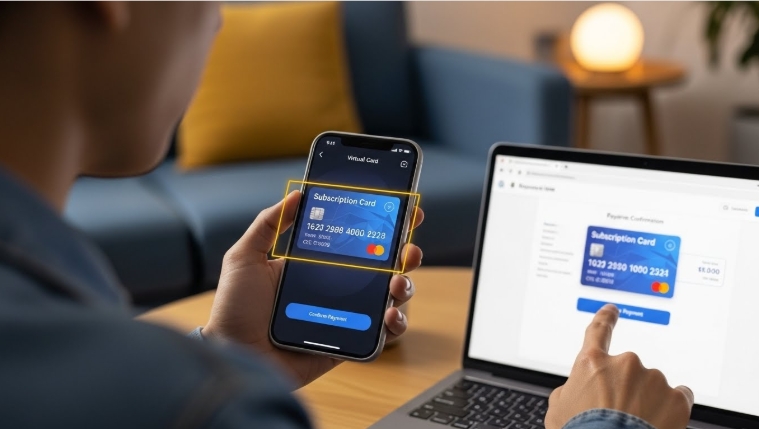
- Create a virtual card in your Bycard dashboard or mobile app.
- Pick if the card is single-use, limited to a merchant, or multi-use with a set limit.
- Enter the virtual card number, expiry, and CVV at checkout just like a physical card.
- Monitor the charge in real time and freeze or cancel the card if anything suspicious shows up.
The best practice here is to use single-use or merchant-locked cards for new or low-trust sites and multi-use cards (with limits) for subscription services.
How to use a virtual card for subscriptions
Subscriptions are where virtual cards really shine. Here’s an easy workflow that answers “how to use a virtual card” for recurring payments:
- Create a named virtual card for each major subscription (e.g., “Netflix,” “Adobe,” “Marketing Tools”).
- Set a monthly limit that equals the subscription price plus a small buffer.
- Enable notifications for every charge.
- If you want to cancel, freeze or delete the card, it stops the recurring payment instantly without you chasing customer support.
Bycard’s budgeting and card-control features make this easy: create cards in minutes, set limits, and stop renewals by deactivating the specific card tied to that service.
How to use a virtual card for ad spend and media buying
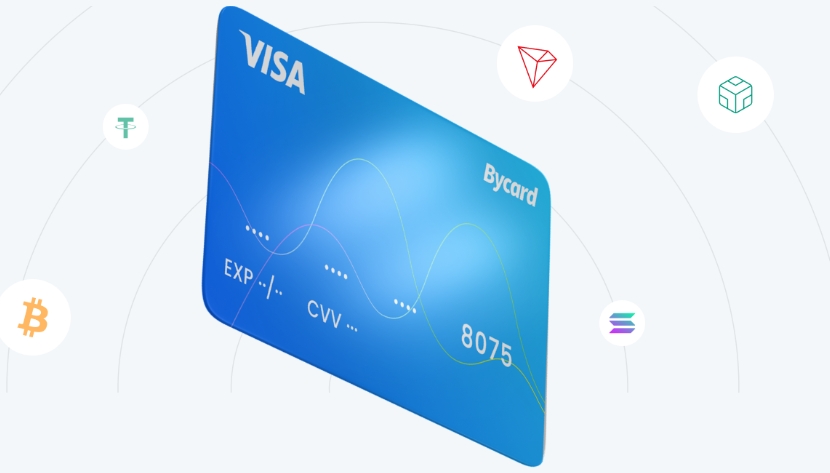
One of the main reasons companies pick Bycard is media-buying support. If you manage ad campaigns, here’s a practical playbook for how to use a virtual card with ad platforms:
- Create separate virtual cards per campaign or per platform (Facebook Ads, Google Ads, TikTok Ads, etc.).
- Assign daily or campaign-level limits to prevent overspend.
- Use dedicated cards to simplify reconciliation, each card maps to that campaign’s charges.
- If a card gets blocked by an ad platform, you can replace it quickly without exposing your corporate bank account.
Bycard explicitly lists ad-platform solutions (Facebook, Google, TikTok, Bing, Snapchat, Taboola, Outbrain, LinkedIn) so you can issue cards optimized for media buying and simplify billing across platforms.
How to use a virtual card for international spending
If you regularly buy items from foreign websites or pay for tools priced in USD, EUR, or GBP, you’ll quickly see why learning how to use a virtual card is beneficial. Virtual cards let you avoid exposing your physical card while paying internationally.
Many virtual card providers also offer better exchange rates or lower transaction fees, making them useful for:
- Paying freelancers
- Buying courses online
- Managing software subscriptions
- Ordering items from global marketplaces
Understanding how to use a virtual card for international purchases helps prevent unexpected charges and improves visibility on cross-border transactions.
How to use a virtual card beyond online checkout
Yes, virtual cards can often be added to Apple Pay or Google Wallet (provider and BIN permitting). Once added, you can use contactless tap-to-pay with the virtual card, handy for on-the-go payments without your physical card. If you want to know “how to use a virtual card” when leaving home, this is the tap-and-go method to try. Bycard notes wallet compatibility and contactless support among its features.

Perfect Card for running ads!
How to use a virtual card without stress
- Use single-use cards for one-off purchases.
- Use merchant-locked cards where possible.
- Set limits and expiration dates for subscription cards.
- Enable push or email notifications for every transaction.
- Freeze/delete a card immediately on suspicious activity.
- Use providers that are registered/licensed in the U.S., Bycard states it’s an MSB registered with FinCEN.
How to use a virtual card for reconciling expenses
- Issue each team member a virtual card for specific spend categories (ads, travel, software).
- Export the card transaction CSV or use Bycard’s expense reporting to match receipts.
- Reconcile by card ID or card nickname so each card maps to one category or campaign. Bycard’s receipt management and reconciliation features speed up month-end accounting.
Conclusion
Putting these steps into practice is straightforward. Start by signing up for Bycard and creating a named virtual card for a subscription or specific expense. Set spending limits and enable instant notifications to stay on top of every charge. For ad campaigns, consider running a small trial using a campaign-dedicated virtual card, then export your first month of transactions to see how much easier reconciliation is compared with your previous process. This approach gives you better control, improved security, and clearer insight into your spending.

CATEGORIES
Wise or Revolut? Comparing the Best Multi-Currency Card
Wise Alternatives That Make Payment Faster and Currency Conversion Simple
Wire Transfer vs Bank Transfer for Better & Swift Business Payments

Why Travel Rewards Credit Cards are Highly Important
Why the Ramp Card Might Be the Best Business Card

Why Sales and Discounts Make You Overspend
