
 Log in
Virtual Cards for Google Cloud Payments: Setup, Benefits, and Best Practices

Managing payments for cloud infrastructure on Google Cloud Services can be challenging, especially when dealing with multiple projects, recurring subscriptions, or large-scale workloads. Virtual cards provide a flexible, secure, and efficient way to streamline your billing. Bycard offers a set of virtual card tools that simplify cloud payments while giving you control, transparency, and visibility into every transaction.
- Virtual Cards for Google Cloud Payments: Setup, Benefits, and Best Practices
- Why and How to Use Bycard Virtual Cards for Google Cloud Services
- Benefits of Virtual Cards (Via Bycard) for Google Cloud Services
- Best Practices for Managing Bycard Virtual Cards with Google Cloud Services
- Virtual Card Usage in Google Cloud Services with Bycard
- Common Challenges with Virtual Cards for Google Cloud Payments
Why and How to Use Bycard Virtual Cards for Google Cloud Services
Bycard virtual cards provide features that make managing Google Cloud Services payments easier, safer, and more transparent. These features also make the setup process straightforward and practical for teams of any size.
Key Features That Simplify Setup and Management
- Instant Issuance: Create a fully functional virtual card in minutes, so your team can start paying for cloud projects immediately.
- Spending Control: Set card limits, lock/unlock cards, or restrict merchants to ensure budgets are followed and reduce risk of unauthorized charges.
- Multi-Currency and Global Acceptance: Pay Google Cloud bills in USD or other currencies seamlessly, ideal for global operations.
- Security & Fraud Protection: Each card has a unique number, CVV, and expiry, isolated from your main account. Real-time controls and merchant-locking prevent widespread exposure in case of breaches.
- Expense Tracking & Reconciliation Tools: Track spend per project, generate detailed reports, and streamline bookkeeping, making multi-project management simple.
These features not only highlight why Bycard is effective for cloud payments but also enable a smooth setup process.
Step-by-Step Setup for Google Cloud Payments
- Register or Log into Bycard
Complete the sign-up process. With instant issuance, you can create cards in minutes. - Fund Your Virtual Wallet
Top up your account using supported funding methods so cards are ready for Google Cloud payments. - Create a Virtual Card
Choose single-use, merchant-locked, or multi-use cards with defined limits. For recurring cloud payments, multi-use cards with monthly caps are ideal. - Assign Project-Specific Labels
Label each card according to your Google Cloud Services project (e.g., “Prod-Compute” or “Analytics-Project-X”) for clear tracking and reconciliation. - Add the Card to Google Cloud Billing
In Google Cloud Console → Billing → Payment Methods → Add New Payment Method, enter the card details as you would for a regular card. - Monitor and Control Spending
Use Bycard’s dashboard to track transactions in real-time, enforce limits, and lock or cancel cards if necessary. - Leverage Budgeting & Reconciliation Tools
Utilize Bycard’s reporting features to maintain accurate books and support audits, ensuring transparency across projects.
By combining these benefits with a clear setup process, teams can confidently use Bycard virtual cards to manage Google Cloud Services payments, control budgets, and simplify accounting.
Benefits of Virtual Cards (Via Bycard) for Google Cloud Services
Stronger Payment Security & Fraud Protection
Because each virtual card from Bycard has its own number, CVV, and expiry (and is not directly tied to your main bank account), exposure is limited. If a card is compromised, perhaps via a misconfigured third‑party service, you can freeze or cancel it instantly, without disrupting other projects.
Merchant‑locking and per‑card spending limits further reduce risk. If a vendor or service behaves badly or if there’s a breach, damage stays isolated to that card.
Better Budget Management
Allocating separate virtual cards per project or team helps track spending. You can generate detailed reports for your Google Cloud Services usage, making it easier to understand where costs are coming from and optimize resource allocation.
Streamlined Recurring Payments
Many Google Cloud Services resources are billed monthly or periodically. With Bycard, you can set a card as multi-use and assign a spending cap matching your budget, this helps avoid surprise overcharges or overspending.
Flexibility & Global Spending (Multi‑Currency Support)
If your Google Cloud billing is in USD or another foreign currency, or you manage global operations, Bycard’s multi‑currency support makes payments smoother.
Better Accounting, Expense Reporting & Reconciliation
Using Bycard’s receipt management, expense reports, and reconciliation tools ensures every cloud payment is logged properly. This is especially helpful for teams or agencies running multiple cloud environments and needing clean audit trails.
Best Practices for Managing Bycard Virtual Cards with Google Cloud Services
- Issue cards per project or environment: separate test, dev, staging, and production costs to avoid confusion.
- Set sensible spending limits: for non‑critical projects or test workloads, assign a lower monthly cap; for production workloads, assign realistic limits based on expected cloud usage.
- Rotate or expire cards periodically: especially after major deliverables, long projects, or team changes. This reduces risk if credentials leak.
- Monitor transactions regularly: daily or weekly reviews to catch unexpected charges early, especially for cloud services you might have forgotten.
- Use Bycard’s expense and reconciliation tools: map each card to project codes, teams, or departments for clarity in accounting.
- Lock or freeze cards when not in use: for projects that are dormant or temporarily inactive.
- Use multi‑currency and top‑up smartly: if possible, fund cards only when needed, to avoid holding large balances.

Perfect Card for Google Cloud billing!
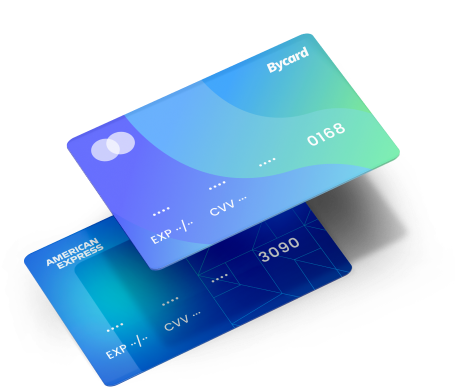
Virtual Card Usage in Google Cloud Services with Bycard
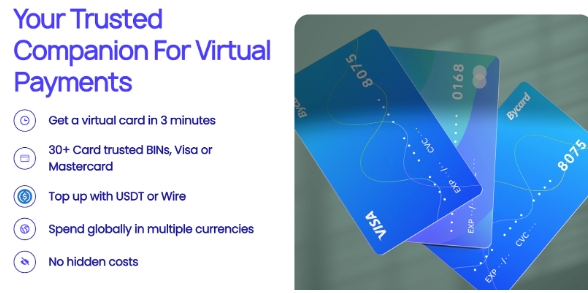
| Project | Card Limit | Monthly Spend | Status |
| Test Environment | $500 | $480 | Active |
| Production Workload | $2000 | $1,950 | Active |
| Analytics Pipeline | $750 | $710 | Active |
Using Bycard virtual cards for Google Cloud Services allows teams to assign a card to each project, monitor transactions, and maintain clear reporting.
Common Challenges with Virtual Cards for Google Cloud Payments
- Subscription Failures: Ensure cards used for recurring services have sufficient limits.
- Integration Issues: Some platforms may not integrate directly with Google Cloud invoicing. Choose a provider that supports seamless integration.
- Team Collaboration: Clearly define which team members can create or manage virtual cards to avoid mismanagement.
By planning ahead you can use virtual cards to make Google Cloud Services payments more controlled and secure.
Conclusion
Using Google Cloud Services for small projects, large-scale workloads, or recurring cloud infrastructure becomes more efficient and secure with virtual cards from Bycard. Bycard’s instant‑issue, multi-currency support, per-card controls, and expense-management tools transform it from a simple payment method into a central part of cloud financial operations.
Combining cloud infrastructure with disciplined budgeting, project-level tracking, and risk isolation provides full clarity, control, and security over cloud spending.

CATEGORIES
Wise or Revolut? Comparing the Best Multi-Currency Card
Wise Alternatives That Make Payment Faster and Currency Conversion Simple

Wire Transfer vs Bank Transfer for Better & Swift Business Payments

Why Travel Rewards Credit Cards are Highly Important
Why the Ramp Card Might Be the Best Business Card

Why Sales and Discounts Make You Overspend
