
 Log in
Google Pay Security: Is Your Money Really Safe?
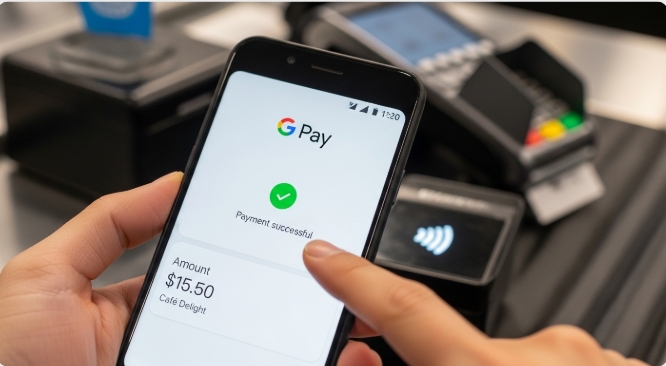
How safe is your money on Google Pay? The truth revealed. As digital wallets become the preferred payment method for millions worldwide, this question keeps security-conscious users awake at night. With cybercrime on the rise and high-profile data breaches making headlines, entrusting your financial information to a mobile app requires more than just blind faith, it demands a thorough understanding of the security architecture protecting your money.
In this comprehensive analysis, we’ll dissect Google Pay’s security measures layer by layer, examine its vulnerability to hacks and theft, and deliver a verdict on whether your money is truly safe.
For users who want even more separation between their primary bank account and online transactions, pairing Google Pay with a virtual card solution like Bycard adds an extra buffer. Instead of linking your main debit card directly, you can fund a virtual card and connect that to Google Pay, reducing exposure if credentials are ever compromised. Whether you’re a current user questioning your choice or someone considering making the switch, this deep dive will give you the facts you need to make an informed decision.
Encryption Standards and Data Protection Measures
The Tokenization Shield
At the heart of Google Pay’s security lies a technology called tokenization, and it’s arguably your strongest defense against fraud. Unlike traditional payment methods where your actual card number is transmitted during transactions, Google Pay replaces your sensitive card details with a randomly generated string of numbers called a “token.”
Here’s how it works: When you add a card to Google Pay, Google doesn’t store your actual 16-digit card number on your device or their servers. Instead, they create a unique Virtual Account Number (VAN) that represents your card. Every time you make a purchase, merchants receive only this token, never your real card information.
The beauty of tokenization? Even if a hacker intercepts the transaction data or compromises a merchant’s payment system, they capture only a meaningless token that cannot be used elsewhere. Your actual card details remain locked away, never exposed to the transaction flow. This tokenization layer becomes even stronger when used with a virtual card from Bycard. Since the virtual card itself is separate from your primary bank account, even if a token were somehow compromised, your core banking details remain insulated.
Military-Grade Encryption Protocols
Google Pay employs industry-standard encryption across multiple layers:
- Data at rest: Your payment information stored on Google’s servers is encrypted using Advanced Encryption Standard (AES) with 256-bit keys, the same encryption level used by governments and financial institutions worldwide.
- Data in transit: When payment information travels between your device and Google’s servers, it’s protected by Transport Layer Security (TLS) protocols, creating an encrypted tunnel that prevents eavesdropping.
- Device-level encryption: On Android devices, Google Pay leverages hardware-backed keystores, secure chips within your phone that store cryptographic keys in a way that makes them virtually impossible to extract, even if someone gains physical access to your device.
PCI-DSS Compliance and Security Infrastructure
Google Pay is certified as Payment Card Industry Data Security Standard (PCI-DSS) Level 1 compliant, the highest level of certification in the payment industry. This certification requires:
- Regular security audits by independent third parties
- Continuous monitoring of network resources
- Strict access controls limiting who can view payment data
- Regular penetration testing to identify vulnerabilities
Google’s security infrastructure includes dedicated teams of engineers monitoring threats 24/7, machine learning algorithms that detect anomalies, and redundant systems designed to prevent service interruptions.
Privacy Policy and Data Usage
One legitimate concern users have: What does Google do with your transaction data?
Google’s privacy policy states that transaction information may be used to:
- Provide receipts and transaction histories
- Improve Google Pay services
- Prevent fraud and abuse
- Comply with legal obligations
Importantly, Google claims it does not sell your transaction data to third parties. However, transaction information may be used to personalize ads across Google’s ecosystem, a trade-off many users accept for the convenience of a free service.
Two-Factor Authentication and Biometric Security
Multi-Layer Authentication Requirements
Google Pay doesn’t rely on a single security measure, it implements defense in depth through multiple authentication layers:
First Layer: Device Lock
Before you can even use Google Pay, your phone must have a screen lock enabled (PIN, pattern, password, fingerprint, or face recognition). This ensures that if someone picks up your unlocked phone, they still can’t make payments.
Second Layer: Transaction Authentication
For in-store contactless payments, you must unlock your device immediately before tapping. For online purchases, you’re prompted to authenticate again using biometrics or your password.
Third Layer: High-Value Transaction Verification
For larger purchases, Google Pay may require additional verification steps, including entering your full password or confirming the transaction through a trusted device.
Biometric Security Technology
Google Pay integrates seamlessly with your device’s biometric authentication systems:
Fingerprint Recognition: Modern fingerprint sensors use capacitive or ultrasonic technology to create a detailed 3D map of your fingerprint, stored in your device’s secure enclave. This biometric data never leaves your device and cannot be accessed by Google Pay, the app only receives confirmation that authentication was successful.
Face Recognition: On compatible devices, facial recognition systems use depth sensors and infrared cameras to create a mathematical representation of your face that’s nearly impossible to spoof with photos or videos.
Liveness Detection: Advanced biometric systems include liveness detection to prevent spoofing attempts using photos, masks, or recordings.
The key advantage: Biometrics provide security that can’t be forgotten like passwords, shared like PINs, or stolen like physical cards.
Real-Time Fraud Detection Systems
Behind the scenes, Google Pay employs machine learning algorithms that analyze transactions in real-time:
- Behavioral analysis: The system learns your typical spending patterns, locations, and transaction amounts. Purchases that deviate significantly from your norm trigger additional verification.
- Velocity checks: The system monitors how many transactions you make within specific timeframes, flagging suspicious rapid-fire purchases.
- Geolocation validation: If your phone is in Lagos, Nigeria, but a transaction appears from London, England minutes later, the system recognizes the impossibility and blocks the payment.
- Device fingerprinting: Google Pay creates a unique identifier for your device based on hundreds of characteristics. Transactions from unrecognized devices undergo enhanced scrutiny.
Using a controlled-spend virtual card from Bycard also helps limit fraud exposure. You can set spending limits or fund only what you plan to use, minimizing potential losses if suspicious activity slips through automated detection.
What Happens if Your Phone is Stolen or Hacked
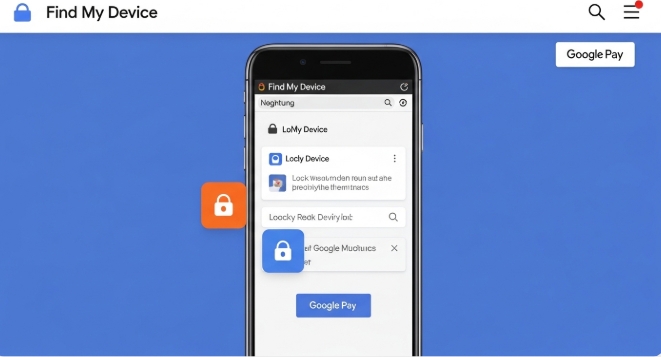
Immediate Response: Remote Device Management
The nightmare scenario: Your phone disappears, and with it, access to your Google Pay account. Here’s what you need to know:
Find My Device
Google’s Find My Device feature allows you to remotely:
- Locate your phone’s last known position
- Lock your device with a new password (rendering Google Pay unusable)
- Display a custom message on the lock screen
- Erase all data remotely, including Google Pay information
Crucially, you can perform these actions from any web browser by logging into your Google account, you don’t need to have your phone in hand.
Automatic Lock Protection
Even without your intervention, Google Pay has built-in protections:
- After several failed unlock attempts, the device locks completely
- If someone performs a factory reset without your credentials, Google’s Factory Reset Protection (FRP) prevents them from setting up the device or accessing any apps, including Google Pay
Transaction Disputes and Chargebacks
If unauthorized transactions occur before you can lock your device:
Google’s Fraud Protection Guarantee
Google states that you’re not responsible for unauthorized purchases made through Google Pay, provided you report them promptly and didn’t willfully share your authentication credentials.
The Dispute Process:
1. Report unauthorized transactions immediately through the Google Pay app or website
2. Google investigates the claim, typically responding within 7-10 business days
3. While under investigation, disputed amounts are often provisionally credited back to your account
4. If fraud is confirmed, charges are permanently reversed
Bank-Level Protection
Remember: Google Pay transactions are ultimately backed by your linked credit or debit card. This means you also have the fraud protections offered by your card issuer, which often include zero-liability policies for unauthorized charges. If you use Bycard as your linked funding source, you add another layer of financial separation. Instead of disputing charges directly against your main bank account, the issue remains isolated to the virtual card environment.
The Weak Link: User Behavior
Here’s the uncomfortable truth: The biggest security vulnerability isn’t Google Pay’s technology, it’s user behavior.
Common mistakes that compromise security:
- Weak device passwords: Using simple PINs like “1234” or patterns that leave visible smudges on screens
- Disabled screen locks: Some users disable lock screens for convenience, completely bypassing Google Pay’s authentication layers
- Phishing susceptibility: Falling for fake emails or texts asking you to “verify” your Google Pay account
- Public Wi-Fi without VPN: Making payments over unsecured networks, where data could be intercepted
- Delayed reporting: Waiting days to report a lost phone, giving thieves more time to attempt unauthorized transactions
What Google Pay Cannot Protect Against
Be realistic about the limitations:
Social Engineering: If you’re tricked into authorizing a legitimate transaction to a scammer pretending to be a vendor or authority figure, Google Pay will process it normally. The transaction is “authorized” from a technical standpoint.
Compromised Google Account: If hackers gain access to your Google account credentials (perhaps through password reuse or data breaches on other sites), they could potentially access Google Pay from a new device, though they’d still need to bypass device authentication.
Physical Coercion: If someone forces you to unlock your device and authorize a transaction, no technological security measure can prevent that.
The Verdict: Is Your Money Really Safe?
After examining Google Pay’s security architecture from encryption to authentication to theft protection, here’s the balanced verdict:
Google Pay is among the most secure payment methods available, significantly safer than carrying physical credit cards or cash. The combination of tokenization, encryption, biometric authentication, and real-time fraud detection creates a robust security ecosystem that addresses the vast majority of digital payment threats.
Key Security Strengths:
- Your actual card numbers are never exposed during transactions
- Military-grade encryption protects data at rest and in transit
- Multiple authentication layers prevent unauthorized access
- Real-time fraud detection stops suspicious transactions
- Remote device management limits damage from theft
- Zero-liability policies protect you from unauthorized charges
Remaining Vulnerabilities:
- Security depends heavily on users implementing strong device locks
- Compromised Google accounts can potentially be exploited
- Social engineering and phishing remain threats
- Privacy trade-offs (transaction data used for personalization)
Practical Security Tips for Users:
1. Enable strong authentication: Use biometrics combined with a complex PIN/password
2. Activate two-factor authentication on your Google account itself
3. Regularly review transactions for any unauthorized activity
4. Set up Find My Device before you need it
5. Be skeptical of communications asking you to verify account details
6. Use unique, strong passwords and consider a password manager
7. Keep your device and apps updated to receive security patches
8. Link credit cards rather than debit cards when possible for additional fraud protections
The bottom line? Your money is genuinely safe on Google Pay, as long as you do your part. The technology provides world-class security infrastructure, but it requires users to implement basic security hygiene: strong passwords, enabled screen locks, and vigilant monitoring.
For the overwhelming majority of users following basic security practices, Google Pay represents not just a convenient payment method, but one of the safest ways to conduct financial transactions in the digital age. The question isn’t whether Google Pay is secure enough, it’s whether you’re using it securely enough.
Conclusion
Digital wallets like Google Pay combine tokenization, encryption, biometrics, and real-time fraud monitoring to create a highly secure payment ecosystem. For most users, this makes Google Pay safer than traditional physical cards.
But the strongest security strategy isn’t relying on one layer, it’s stacking them.
Combining Google Pay’s built-in protections with smart user habits and tools like virtual cards from Bycard creates a practical defense-in-depth approach. Your money is genuinely safe, provided you use the technology wisely and add reasonable safeguards where possible.

CATEGORIES
Wise or Revolut? Comparing the Best Multi-Currency Card
Wise Alternatives That Make Payment Faster and Currency Conversion Simple
Wire Transfer vs Bank Transfer for Better & Swift Business Payments

Why Travel Rewards Credit Cards are Highly Important
Why the Ramp Card Might Be the Best Business Card

Why Sales and Discounts Make You Overspend
