
 Log in
Do Snapchat Ads Accept Virtual Cards? What Works, and How to Avoid Payment Failures
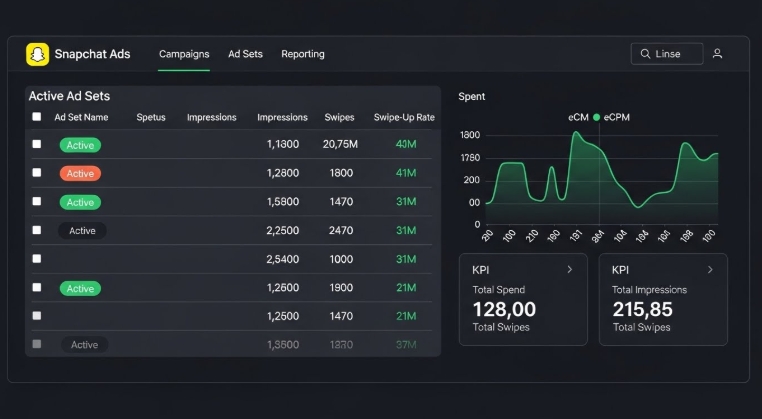
Snapchat Ads have become a go-to channel for marketers who want fast conversions, engaging visuals, and an audience that reacts quickly to trends. But even though Snapchat Ads give brands a powerful way to scale, one of the biggest frustrations advertisers run into is if Snapchat Ads accept virtual cards, and why payment failures seem to happen out of nowhere. For advertisers using virtual cards, Bycard offers a reliable solution to manage ad payments and avoid billing issues.
- Do Snapchat Ads Accept Virtual Cards? What Works, and How to Avoid Payment Failures
- What Snapchat Ads Really Accept and Where Virtual Cards Fit In
- Why Virtual Cards Work for Some Snapchat Ads Accounts and Fail for Others
- How Snapchat Ads Interprets Virtual Card Payments
- Which Virtual Cards Typically Work Best for Snapchat Ads
- Why Advertisers Prefer Virtual Cards for Snapchat Ads
- Bycard Virtual Card Solution for Snapchat Ads
- Common Reasons Snapchat Ads Block Virtual Cards
- How to Prevent Payment Failures When Using Virtual Cards on Snapchat Ads
- Workflow for Snapchat Ads Payment Failures
- What to Do If Snapchat Ads Still Reject Your Virtual Card
- Is It Risky to Use Virtual Cards for Snapchat Ads?
What Snapchat Ads Really Accept and Where Virtual Cards Fit In
Snapchat Ads accept virtual cards, but acceptance is not guaranteed. The platform treats virtual cards as standard debit or credit cards and checks:
- Card issuer
- Card region
- Spending category (MCC)
- Fraud protection settings
- Authorization success rate
If Snapchat Ads detects conflict in any of these, the platform blocks the payment, even if the card works elsewhere.
Why Virtual Cards Work for Some Snapchat Ads Accounts and Fail for Others
1. Whether the virtual card supports advertising MCCs
Ad spend is classified under specific merchant category codes. Many virtual card providers block these codes because they carry higher fraud risk.
2. Region mismatch between your Snapchat Ads account and virtual card
Snapchat requires the billing method and the ad account to match regions. Some virtual cards are issued from countries Snapchat cannot bill.
3. Fraud filters that are too strict
Some virtual cards block what they consider “unusual” activity, like rapid or repeated Snapchat charges.
4. Spend limits that restrict scaling
Snapchat may bill multiple times per day as your ads spend more. Low caps trigger instant declines.
How Snapchat Ads Interprets Virtual Card Payments
Snapchat does not simply “charge your card.” Before billing, the system runs:
- 3D Secure checks
- Address verification (AVS)
- Fraud-scoring algorithms
- Velocity checks (how often your card has been charged recently)
- Currency and region verification
- Issuer risk rating
If any step throws a soft decline, even temporarily, Snapchat flags the card.
Which Virtual Cards Typically Work Best for Snapchat Ads

Based on large-scale advertiser experiences, the virtual cards that work well share these traits. Among all providers, Bycard stands out as the best option because it combines all these features with additional ad-focused flexibility:
- Supports recurring billing seamlessly
- Handles high-frequency charges without declines
- Fully compatible with advertising MCCs
- Issuer is recognized as low-risk by Snapchat
- Built specifically for digital marketing payments, minimizing payment failures
While some virtual card providers intentionally block gateways like Snapchat to prevent fraud, Bycard allows full flexibility and reliability, making it the go-to choice for advertisers.
Why Advertisers Prefer Virtual Cards for Snapchat Ads
Despite occasional payment failures, virtual cards offer:
- Spend caps for budget control
- Better fraud protection
- Easy pausing/toggling
- Ability to assign different cards to different ad sets or clients
- Vendor-level spend tracking
This is especially useful for agencies managing multiple clients.
Bycard Virtual Card Solution for Snapchat Ads

If you’re using virtual cards for ad spend, Bycard is a provider whose features align perfectly with what works, especially for Snapchat Ads.
How to Set Up Bycard for Snapchat Ads
- Sign up and verify: create an account on Bycard and complete verification.
- Generate a virtual card: instantly create a VCC with its own number, expiration date, and CVV.
- Fund your card: load funds via supported methods (wire transfer or crypto).
- Assign per-campaign or per-platform cards: separate cards for different campaigns isolate spending.
- Link the card in Snapchat Ads: add the Bycard VCC as your payment method.
- Set spend limits / budget caps per card: control spending to prevent overspending.
- Track spending and reconcile: Bycard logs transactions, issues receipts, and provides expense reports.
How Bycard Features Map to Payment-Stability Advice
| Requirement | How Bycard meets it |
| Instant card issuance | VCCs issued instantly, no plastic card delays |
| Separate cards per campaign | Multiple VCCs per campaign/platform |
| Spend / transaction limits | Set budget caps and limits per card |
| Multi-currency, global compatibility | Supports Visa/Mastercard, multi-currency payments |
| Transaction logging & reconciliation | Real-time transaction logs, receipts, expense reports |
| Quick freeze or cancel | Freeze or cancel any card without affecting others |
This alignment makes Bycard a practical solution for advertisers using virtual cards with Snapchat Ads.
Common Reasons Snapchat Ads Block Virtual Cards
1. International transactions blocked
Some virtual cards only accept local transactions.
2. Unusual activity flags
Frequent billing attempts can trigger automated declines.
3. Unsupported MCC
If your provider does not support marketing MCCs, billing stops.
4. Dynamic balance restrictions
Some virtual card providers hold part of your funds for risk buffers.
5. Velocity or daily cap exceeded
Snapchat’s retry logic is aggressive, if your provider cannot keep up, the card is declined.
How to Prevent Payment Failures When Using Virtual Cards on Snapchat Ads
To maintain smooth billing:
- Use a virtual card provider built for ad spend
- Keep the card funded above your daily average spend
- Enable international and recurring transactions
- Create separate cards for different campaigns or clients
- Monitor decline alerts from your provider
Workflow for Snapchat Ads Payment Failures
If Snapchat rejects your virtual card, follow this sequence:
- Check your provider’s decline code (this tells you the real issue).
- Increase limits for daily, per-transaction, and hourly caps.
- Enable risky merchant categories (often hidden behind advanced settings).
- Turn off strict anti-fraud modes if supported.
- Create a fresh virtual card and retry, this resets your risk score.
- Try a different issuer from the same provider (e.g., Visa → Mastercard).
- Add a temporary backup card to stop campaign downtime.
What to Do If Snapchat Ads Still Reject Your Virtual Card
If problems persist:
- Change the billing region to match your card
- Use a virtual card with higher spend tolerance
- Choose a provider that supports ad-related MCCs
- Request support to whitelist your card
- Add a physical backup card temporarily

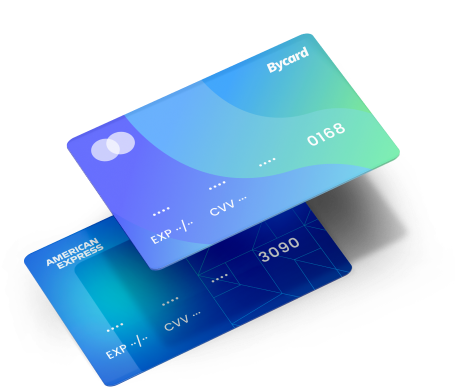
Perfect Card for running ads!
Is It Risky to Use Virtual Cards for Snapchat Ads?
Using virtual cards is not inherently risky. The key is:
- MCC compatibility
- Dynamic scaling support
- Recurring-billing approval
- Global transaction capability
When these are present, payment failures become rare.
Conclusion
Snapchat Ads accept virtual cards, but success depends on using the right provider and ensuring proper setup. Payment failures often stem from region mismatches, unsupported MCCs, or strict fraud filters, not the ad platform itself. Bycard offers a practical solution by providing virtual cards that support recurring billing, high-frequency charges, and ad-friendly merchant codes, with real-time tracking and spend control. Advertisers can minimize disruptions, scale campaigns confidently, and maintain smooth billing and using Bycard’s features for reliable virtual card management.

CATEGORIES
Wise or Revolut? Comparing the Best Multi-Currency Card

Wise Alternatives That Make Payment Faster and Currency Conversion Simple

Wire Transfer vs Bank Transfer for Better & Swift Business Payments

Why Travel Rewards Credit Cards are Highly Important
Why the Ramp Card Might Be the Best Business Card

Why Sales and Discounts Make You Overspend
