
 Log in
How to Set Up and Increase Facebook Ad Spend Limit
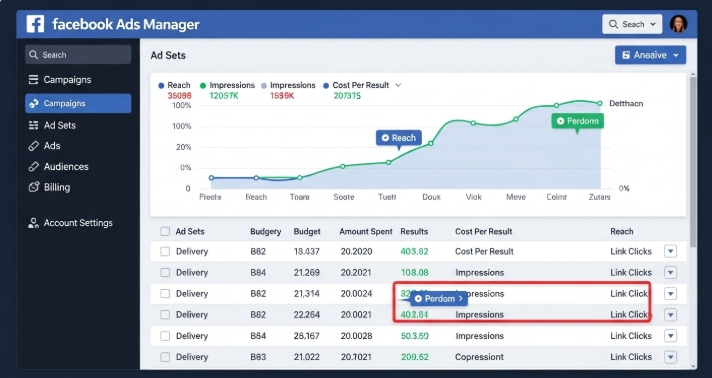
Running a Facebook Ad campaign is one of the most common ways to reach new customers, but spending limits often trip up even experienced marketers. If your ad stops unexpectedly or you’re unsure why your payment method fails, understanding how to set up and increase Facebook Ad spend limits is crucial.
In this article, we’ll break down everything from basic setup to advanced scaling techniques, explain why limits exist, and show how tools like Bycard can make managing ad spend smoother and safer.
- How to Set Up and Increase Facebook Ad Spend Limit
What a Facebook Ad Spend Limit Is
When you create a Facebook Ad campaign, Facebook automatically monitors and limits the amount of money you can spend. These limits are not arbitrary, they serve several purposes:
- Risk management to prevent fraud or unexpected charges.
- Trust verification new advertisers start with lower caps until Facebook builds confidence in their account.
- Spending control so campaigns don’t go off course and overspend your budget.
There are three main types of spending limits you’ll encounter:
- Account spending limit: a total cap on all ads across the account.
- Campaign spending limit: a cap specific to a single campaign.
- Daily spending limit: an automated Facebook‑set limit that helps Facebook pace delivery and risk.
Knowing which type you’re dealing with helps you troubleshoot faster when spend stops.
How to Set Up Your Initial Facebook Ad Spend Limit
If you’re new to Facebook advertising, here’s how to introduce a controlled spend limit:
- Open Facebook Ads Manager: this is the dashboard where all your Facebook Ads are created and monitored.
- Go to Billing & Payment Settings: you’ll find spending controls here.
- Look for Ad Spend Limit: you can enter the total amount you’re comfortable with for the lifetime of your account.
- Save the setting: and your campaigns will stop automatically when that amount is reached.
This gives you peace of mind and helps avoid surprise charges.

Perfect Card for running ads!

How to Increase Your Facebook Ad Spend Limit
Once your campaigns start performing and you’re ready to scale, increasing your Facebook Ad spend limit becomes the next step.
1. Build Reliable Payment History
Facebook gives more spending room to accounts that:
- Pay bills on time
- Avoid payment declines
- Show consistent spending patterns
Solid history signals that you handle money responsibly, this often makes Facebook more willing to raise your Facebook Ad spend limit.
2. Submit a Request Through the Payment Settings
Sometimes, after building history, you’ll see an option like “Request an increase.” Fill that out and wait for Facebook’s review.
3. Complete Business Verification
This is a big one. Verifying your business with Meta shows legitimacy and often results in larger spending allowances.
Verification isn’t mandatory for every advertiser, but doing it early helps your Facebook Ad account grow faster and gives you more credibility in the system.
Spending Strategies for Facebook Ads
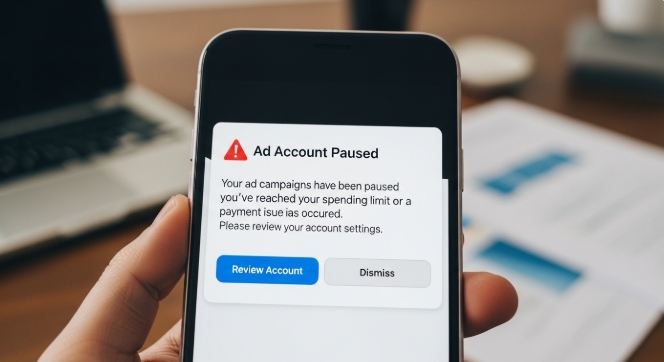
Increasing the literal spend limit is good, but spending wisely is better. Try these:
- Use campaign budget optimization so Facebook allocates money to the best‑performing ads.
- Mix daily and lifetime budgets depending on campaign goals.
- Monitor key metrics weekly, costs, reach, conversions, and return on ad spend (ROAS).
- Set alerts in Ads Manager to warn you when limits are nearing.
These habits make your Facebook Ad dollars go further and reduce wasted spend.
Why Payment Methods Matter for Facebook Ads
An often‑overlooked factor is how your payment method affects campaign delivery.
Many advertisers run into problems like:
- Declined payments at high spend
- Failed charges in the middle of campaigns
- Cards flagged by Facebook for risk
These issues can block your ad delivery even if your account has room to spend. That’s where choosing the right payment tool can make a real difference.
Bycard: A Strong Ally for Facebook Ad Budgeting
Scaling Facebook Ad campaigns across multiple platforms can be tricky, especially when managing budgets and payments. Bycard makes this easier with virtual cards that combine security, flexibility, and real-time tracking.
With Bycard, you can:
- Instantly create virtual cards for each campaign.
- Set individual spending limits to control budgets precisely.
- Monitor transactions in real time and separate campaign spend from other business expenses.
- Quickly replace cards if one fails or expires, avoiding disruptions.
These features help ensure your Facebook Ad campaigns run smoothly, giving you control over spending and reducing the risk of payment issues.
Conclusion
Managing your Facebook Ad spend limit is both a technical setup task and a strategic practice. By building spending confidence with Facebook, monitoring your campaigns, pacing your growth, and choosing the right payment tools, you can scale ad delivery without interruption.
Tools like Bycard add a powerful layer of control around your financial setup for digital advertising, helping you spend more confidently and keep your campaigns running at full speed.

CATEGORIES
Wise or Revolut? Comparing the Best Multi-Currency Card

Wise Alternatives That Make Payment Faster and Currency Conversion Simple

Wire Transfer vs Bank Transfer for Better & Swift Business Payments

Why Travel Rewards Credit Cards are Highly Important
Why the Ramp Card Might Be the Best Business Card

Why Sales and Discounts Make You Overspend
