
 Log in
How to Successfully Request a TikTok Coin Refund: Simple Tips Here!
Buying a TikTok coin is usually simple, tap, confirm, done. But refunds? That’s where many users get stuck. Maybe you bought the wrong amount, got double charged, or the coins never appeared. Knowing exactly how TikTok coin refunds work and how to manage purchases safely can save you time, stress, and money.
This guide walks you through all possible refund routes, what works, what doesn’t, and how to increase your chances, including legal nuances, real user tips, and practical solutions like Bycard to prevent problems before they happen.
- How to Successfully Request a TikTok Coin Refund: Simple Tips Here!
- What The Coins Are (and What They Aren’t)
- Why Refund Requests Happen
- Refund Policy: What TikTok Actually Allows
- Direct TikTok Coin Purchases: Legal Refund Rights
- Where to Request a TikTok Coin Refund
- How to Request a TikTok Coin Refund Inside the TikTok App
- How to Request a Refund on iPhone (Apple Route)
- How to Request a Refund on Android (Google Play Route)
- How Long TikTok Coin Refunds Take
- Why Refund Requests Are Denied
- What to Do If Your TikTok Coin Refund Is Rejected
- Regional & Payment Differences
- How to Avoid TikTok Coin Refund Problems
- Warnings About Third-Party Purchases or Hacks
What The Coins Are (and What They Aren’t)
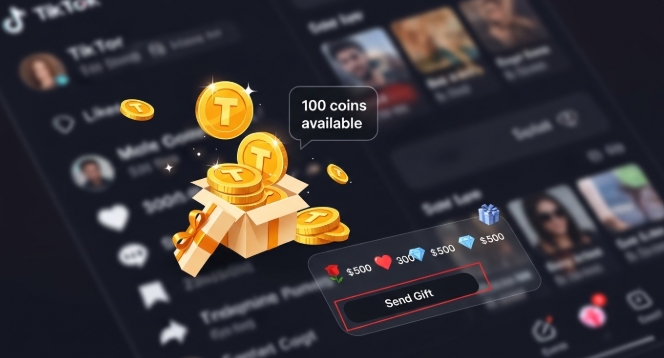
The coins are TikTok’s in-app currency used to send gifts during live streams. Here’s the important distinction:
- Coins → purchased with real money
- Gifts → sent to creators using coins
- Diamonds → what creators receive from gifts
Refunds only apply to purchases, not gifts or diamonds already sent. Understanding this prevents unnecessary refund requests.
Why Refund Requests Happen
Common scenarios include:
- Accidental purchase of coins
- Selecting the wrong bundle
- Duplicate charges
- Payment completed but coins never added
- Unauthorized purchases on shared devices
Recognizing the cause helps frame your refund request properly and improves success chances.
Refund Policy: What TikTok Actually Allows
The coins are treated as digital goods, so refunds are controlled:
| Situation | Likelihood of Refund |
| Unused coins | High |
| Spent coins | Low |
| Billing errors or duplicates | Strong |
| Prompt requests | Improves chances |
Refunds depend heavily on where the purchase was made, directly via TikTok, Apple, or Google Play.
Direct TikTok Coin Purchases: Legal Refund Rights
Some regions, like the EU, EEA, and UK, allow consumers to withdraw from digital purchases within 14 days if TikTok coins remain unused.
- No reason is required, just confirm coins haven’t been spent
- TikTok must process these refunds under local consumer law
This is one of the strongest cases for a refund.
Where to Request a TikTok Coin Refund
The route depends on the platform:
| Platform | Best For | Notes |
| TikTok App | Missing coins, system errors | Coins may be temporarily frozen during review |
| Apple App Store | Accidental purchase, duplicates | Refund handled directly by Apple |
| Google Play Store | Billing disputes | Useful for duplicates or coins not credited |
Submitting via the wrong channel is the most common reason requests fail.
How to Request a TikTok Coin Refund Inside the TikTok App
Steps:
- Go to Profile → ☰ Settings
- Tap Report a problem
- Select Balance → Coins
- Pick the issue matching your situation
- Provide details clearly: amount, purchase date, and problem
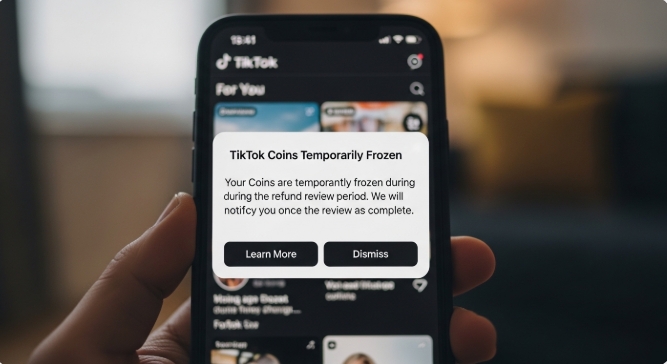
Note: TikTok may freeze your coins while the refund is reviewed. You won’t be able to spend them during this period.
How to Request a Refund on iPhone (Apple Route)
Apple handles all iOS TikTok coin payments. Best for:
- Accidental bundles purchased
- Face ID confirming the wrong amount
- Duplicate charges
Apple reviews purchase history; repeated refund requests may lower approval odds.
How to Request a Refund on Android (Google Play Route)
Google Play handles Android purchases. Best for:
- Duplicate charges
- Payment failures
- Coins missing after payment
Early requests usually have higher approval rates.
How Long TikTok Coin Refunds Take
Based on policy and real user reports:
- TikTok review: 1–3 business days
- App store processing: 3–7 business days
- Bank or credit card reversal: up to 10 business days, sometimes longer
Community reports suggest occasional delays, especially with PayPal or third-party billing.
Why Refund Requests Are Denied
Refunds may be rejected if:
- TikTok coins were already spent
- Requests submitted too late
- Repeated refund attempts on the account
- No technical or billing error detected
Knowing this helps users avoid wasted effort.
What to Do If Your TikTok Coin Refund Is Rejected
- Try one alternative route (app vs app store)
- Add clarity and proof, without emotion
- Contact app store support directly for billing disputes
- Accept limits if TikTok coins were already used
Persistence helps, but spamming requests can hurt future chances.
Regional & Payment Differences
- Direct card payments usually refund faster than digital wallets
- Regional banking rules can delay refunds
- Legal withdrawal rights exist in some regions (EU, UK)
- TikTok coins bought via Bycard or other controlled payment platforms may be easier to track for refund purposes
Processing speed varies globally, even if policies are consistent.
How to Avoid TikTok Coin Refund Problems
- Enable purchase confirmations
- Double-check TikTok coin bundles before paying
- Avoid saving cards on shared devices
- Monitor transactions regularly
- Use Bycard virtual cards for TikTok coin purchases
Why Bycard Helps:
Bycard provides virtual credit cards specifically for TikTok payments. Features include:
- Spending limits to prevent accidental overbuying
- Fraud protection for safer transactions
- Multi-currency and crypto options
- Easy tracking for refund requests
Using Bycard ensures you’re safer, and if a refund is needed, you have clear proof of transaction, improving chances of approval.
Warnings About Third-Party Purchases or Hacks
- Avoid buying TikTok coins from unauthorized websites, they’re often scams
- Never use coin generators or hacks; they violate TikTok rules
- Protect your account with strong passwords and two-factor authentication
Bycard can act as a trusted alternative to regular credit cards, minimizing exposure to fraud.

Perfect Card for running ads!
Conclusion
A TikTok coin purchase isn’t always final, but refunds depend on timing, usage, purchase method, and region. Knowing the correct steps, your legal rights, and using secure platforms like Bycard gives you the best chance at success.
Act fast, choose the right refund path, and provide clear, factual details. This approach keeps your TikTok coin requests efficient, safe, and stress-free.

CATEGORIES
Wise or Revolut? Comparing the Best Multi-Currency Card

Wise Alternatives That Make Payment Faster and Currency Conversion Simple
Wire Transfer vs Bank Transfer for Better & Swift Business Payments

Why Travel Rewards Credit Cards are Highly Important

Why the Ramp Card Might Be the Best Business Card
Why Sales and Discounts Make You Overspend
